
AI-first building
Describe what you need in plain language. The AI builds it while you watch the running app, and you refine it conversationally.
Describe the business app you need. AI builds it on a ready-made platform with forms, data, users and logic already in place. Refine it in conversation or in the editor, and export it when you're ready.
AppMaker is built for one kind of software: structured, data-driven business applications. That focus is what lets the AI move quickly and lets you stay in charge of the result.
Describe what you need in plain language. The AI builds it while you watch the running app, and you refine it conversationally.
Every app is made of the same parts: forms, data, server logic, users and roles. The AI fills in a known structure instead of inventing one.
Switch from Build to Design and edit the forms, data and code the AI wrote. Nothing is regenerated, nothing is hidden from you.
Export a standalone Node.js application and run it on infrastructure you choose. Keep working in AppMaker, or carry on outside it.
Start in Build mode and let the AI do the heavy lifting. Open Design mode when you want to see exactly how something works, or change it yourself.
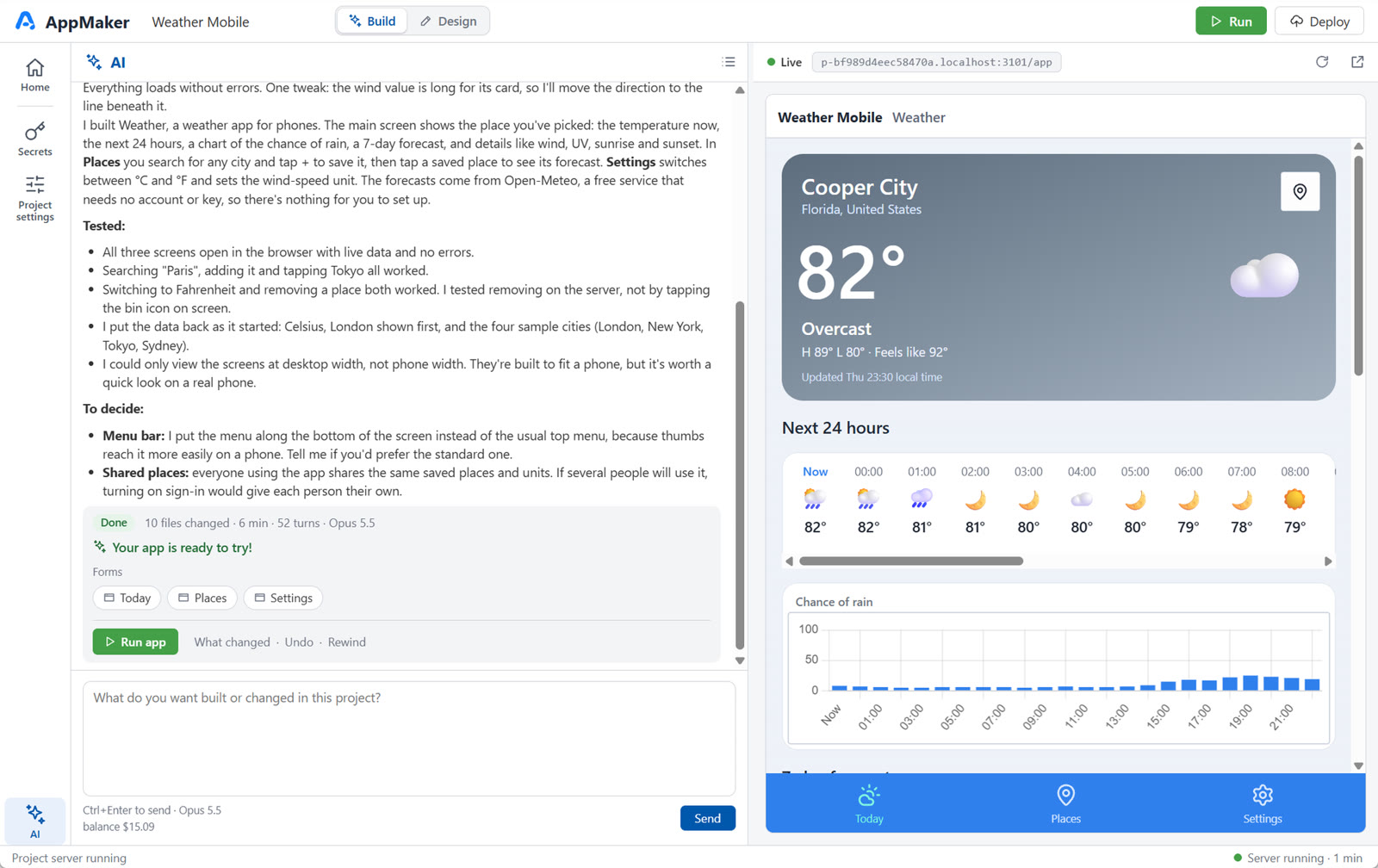
Build mode
Chat with the AI and try your app beside the conversation. You don't need to know about forms, schemas or scripts to get started.
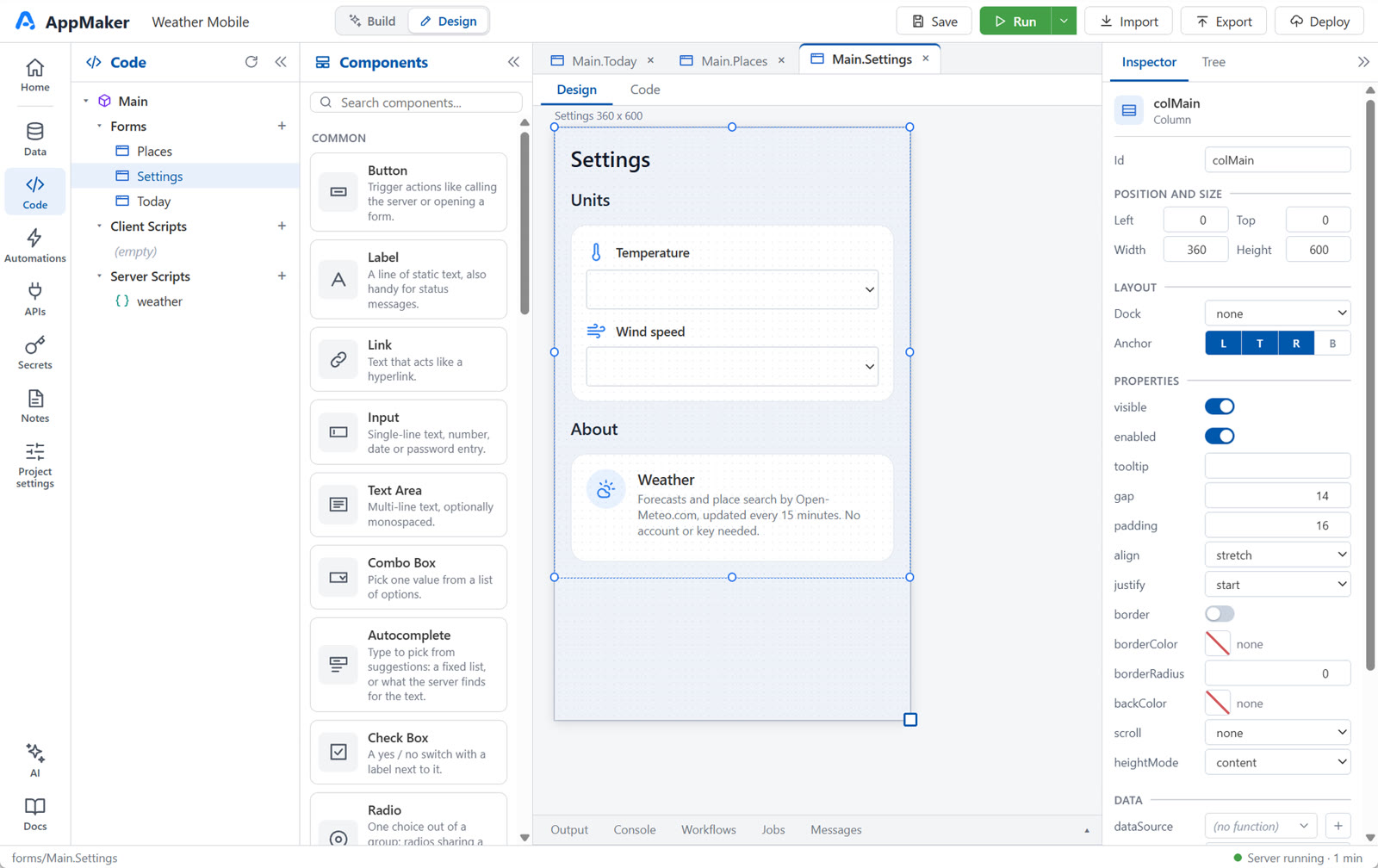
Design mode
Everything the AI created is there to inspect and edit: forms and controls, tables and SQL, client and server JavaScript, workflows and jobs.
Switch between them any time. Both modes work on the same project, so nothing is converted, regenerated or lost.
Many AI tools generate the whole stack for every app: the data layer, the sign-in, the plumbing between them. AppMaker already has those parts. The AI spends its effort on what is specific to your app, inside a structure that stays the same from one project to the next.
AppMaker is designed for structured, data-driven software. These are the kinds of applications it targets. They are starting points, not finished products.
Admin screens, lookups and the small tools every team ends up needing.
Contacts, companies, deals and the history behind them.
Stock, locations, movements and reorder levels.
Requests that move between people, with roles deciding who sees what.
KPI cards, charts and top lists computed on the server.
The tailored app a client asks a consultant for, delivered faster.
Screencasts Three more apps built with the AI agent, each from a short description, and one built by hand in Design mode.
Designing, coding and starting from templates are free. New accounts get $3 in AI credits to try Build mode, with no credit card.
Describe a small business app and watch it take shape. No credit card required.